
Change color theme
Your guide to Graphit
Build a shared understanding of what matters. Learn how to define metrics, collect consistent data, explore changes, and share the results with your team.
Start with your next task
| I want to… | Start here |
|---|---|
| Get a workspace ready for my team | Set up your workspace |
| Find a page, metric, or action quickly | Find your way around |
| Decide what to measure and how to organize it | Manage metrics |
| Give people a simple way to submit numbers | Collect data |
| See important measures together | Build dashboards |
| Prepare an update to share | Create reports |
| Ask questions or get help inside Graphit | Work with the assistant |
| Keep some numbers confidential | Control who can see a metric |
| Find a quick answer about pricing, security, or syncing | Frequently asked questions |
Bring your data together
Connect a source when data already lives elsewhere. The setup guides explain what you need before connecting, how to map the information into metrics, and where to check the connection afterward.
For your organization's identity, appearance, people, and access, use Workspace settings.
Understand how the pieces fit
Metrics define what you measure. Data entries record values over time. Dashboards put those values into context. Reports turn a selection of information into a shareable output.
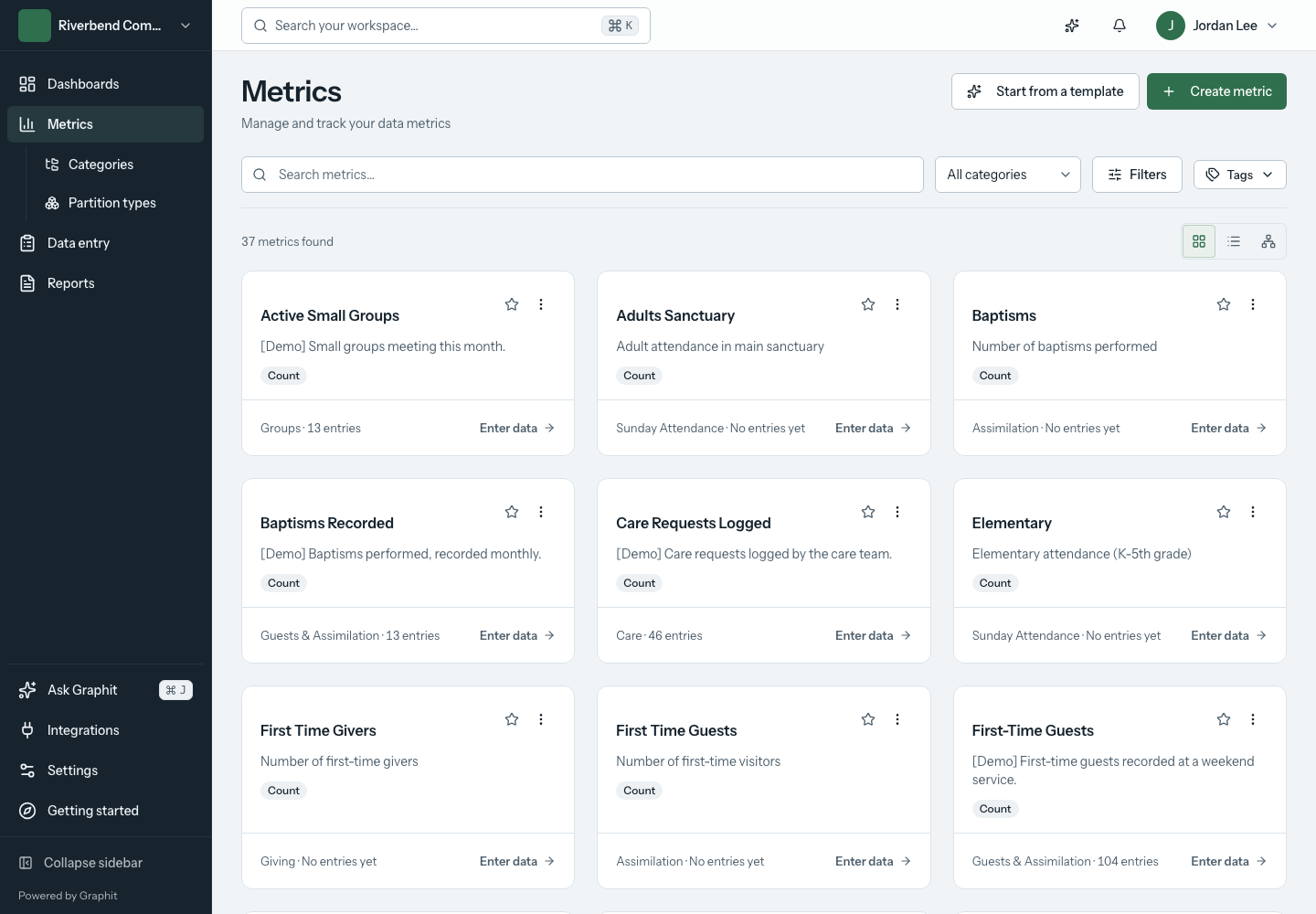
Use the Glossary when a term is unfamiliar. If an expected page, value, or action is missing, begin with Troubleshooting. Common questions are answered in the FAQ.
Use this documentation
Search from the top bar, browse the task groups, or follow On this page to jump to a section. Each guide ends with the next guide and a Markdown download. Select a screenshot to enlarge it; press Escape to return to the guide.
Screenshots show a local demonstration workspace. Names and example values are illustrative. Available actions depend on your role, workspace settings, and connected services.
For agents and documentation tools, use the agent index, complete Markdown reference, or structured guide index.